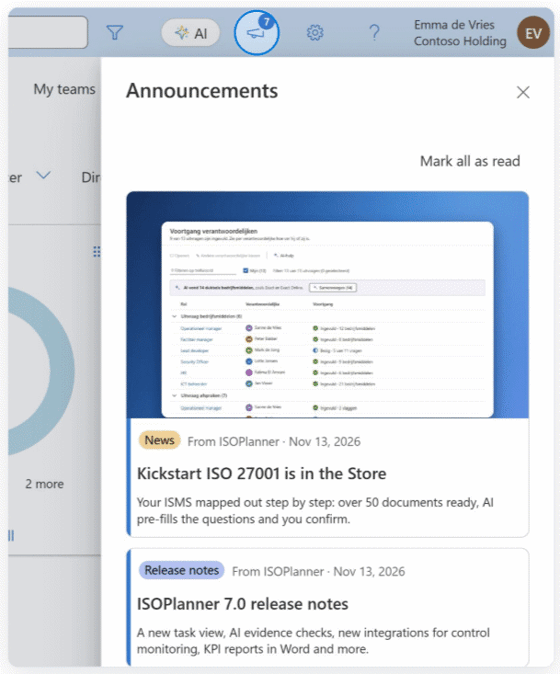
ISOPlanner 7.0.0 went live on 15 November 2026. This major release brings AI into your daily compliance work, connects ISOPlanner to more of the systems you use, and makes audits, assets and reporting easier to manage.
AI that works with you
The main addition is the new AI Assistant. It knows your management system: it answers questions about your risks, controls, tasks and documents, reads your evidence, audits items against their audit criteria and drafts work such as annual plan tasks. You find it in the AI Assistant panel, in the AI actions on most pages and in every text editor. It is also available in Microsoft 365 Copilot and Copilot Studio, and it can run on your own AI models. The assistant works with your permissions and changes nothing without your approval.
The AI Assistant is included in every paid subscription; an administrator switches it on under Administration > Settings > Automation. During the introduction, until 1 January 2027, your organization receives twice the free AI credits of its subscription every month.
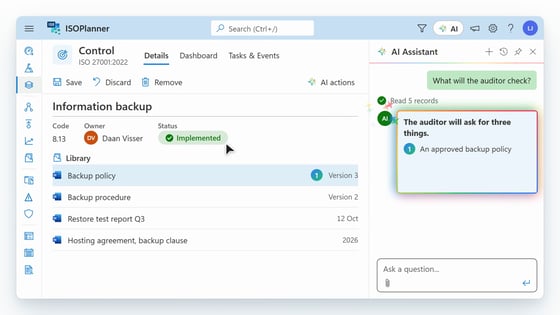
Watch the AI Assistant at work (video)
Artificial intelligence
- AI Assistant - ask questions about your management system, let it read documents and evidence, and have it draft and audit, always with your approval. Read more
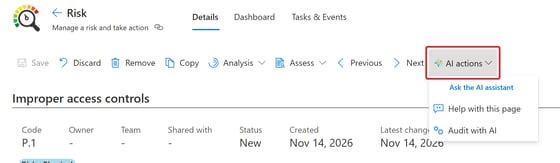
- AI actions - most pages have an AI actions button with ready-made questions and actions for that page, such as Audit with AI on an asset or a risk. Read more
- Help with writing - every text editor has AI help in its toolbar to fill in, improve, simplify, summarize or expand a text, and a Word document in the library opens in an editor with the AI Assistant beside it. Read more
- Microsoft 365 Copilot and Copilot Studio - use your ISOPlanner data in Copilot Chat, Word, Excel, PowerPoint and Outlook (a Microsoft 365 Copilot licence is required), or as a tool in your own Copilot Studio agents. Read more: Copilot and Copilot Studio
- Claude, ChatGPT and other AI assistants - connect them to ISOPlanner through the ISOPlanner MCP server. Read more
- Bring your own AI models - run the AI Assistant on your own OpenAI or Anthropic account. Read more
Integrations and tasks
- New integrations - automated control monitoring now checks Microsoft Entra ID, Microsoft Azure, Microsoft Intune, GitHub, Cloudflare and HubSpot, and keeps the results as audit evidence. Read more
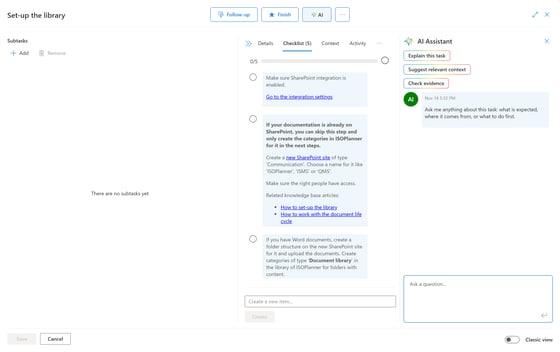
- New task window - a task opens in a new layout with tabs for its details, checklist, context and activity, and with the AI Assistant beside it. A new task starts with a short two-step wizard. The classic view remains available. Read more
Reports, assets, audits and more
- Report settings in one place - under Administration > Settings > Reports you set the default formats and the output locations of reports, audit reports, uploaded evidence, KPI attachments and asset documents. Read more
- KPI data report - select KPIs on the KPIs page and choose Data report to get every measurement of a period with its evidence, in Excel or JSON. Visualize the report with AI turns it into a report with charts. Read more
- Assets and suppliers - add assets with Add from catalogue, record a supplier's website and contact e-mail, and let the AI check a supplier's published certificates against your audit criteria. Read more
- AI credits - every paid subscription includes AI credits each month, doubled during the introduction until 1 January 2027. You see the balance and the usage under Administration > Settings > Automation. Read more
- Audit module - plan, execute and report your internal and external audits in ISOPlanner, with AI support from the scope to the report. Now generally available with the Premium subscription. Read more
- Backup and restore - administrators restore the organization to an earlier moment of the last 30 days, or restore it as a new organizational unit to compare. Now generally available. Read more
- Audit criteria - write criteria once for a kind of item, such as all suppliers or all risks, see the outcomes as columns in your lists, add criteria from your existing task and event templates, and assess items yourself or with the AI. Read more
The Announcements panel
In the coming weeks we share more information, best practices and tips in the new Announcements panel in ISOPlanner.